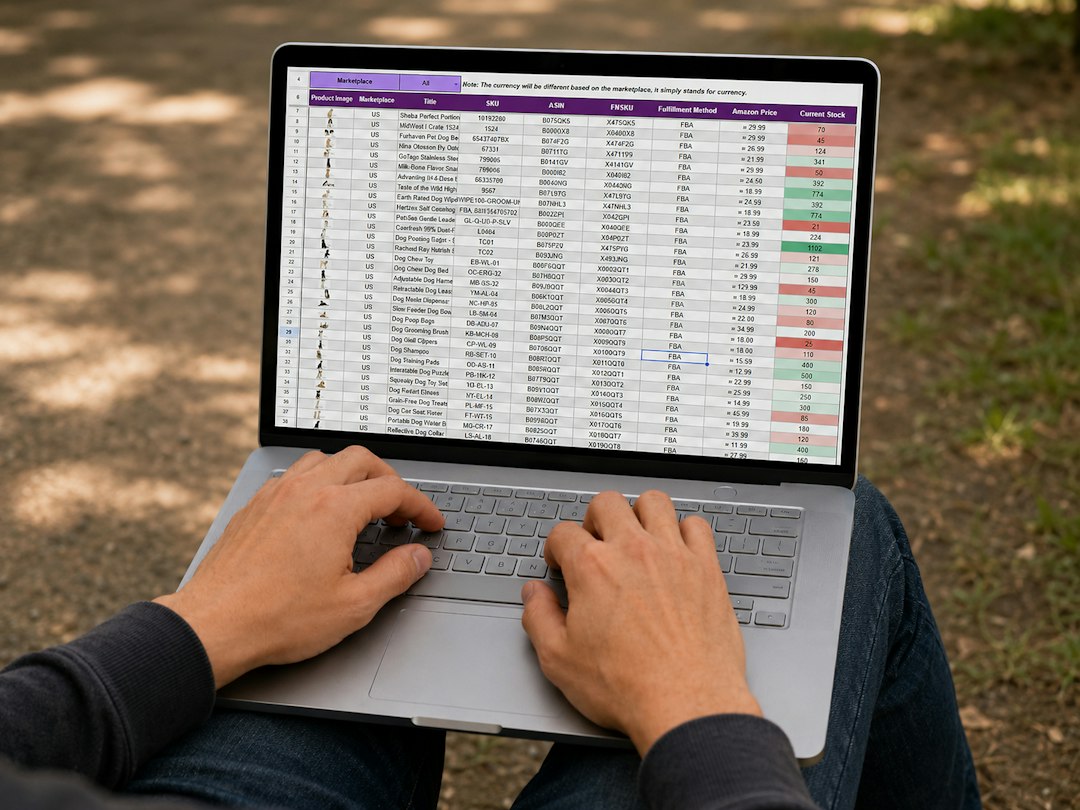
At some point, most people build a spreadsheet to track their subscriptions. It feels like the responsible thing to do — a tidy list of services, monthly costs, and renewal dates, all neatly organized in rows and columns. And for a while, it works. Then life happens: a free trial converts quietly, a team member signs up for a tool you already have, a SaaS vendor bumps its price by 18%, and your spreadsheet — last updated four months ago — has no idea. A subscription tracking tool built specifically for this problem can eliminate that gap entirely. But is it worth switching, or can a well-maintained spreadsheet still compete? This post breaks it down honestly, without hype.
Why People Start With Spreadsheets (And Why That's Totally Reasonable)
Let's be fair to the spreadsheet. For someone with four or five subscriptions, a simple Google Sheet or Excel file is a perfectly sensible solution. It costs nothing, requires no sign-up, and can be customized endlessly. You can add columns for payment method, account owner, category, cancellation policy — whatever matters to your specific situation.
For freelancers, solopreneurs, or households just beginning to get their subscription spending under control, the friction of adopting new software can actually outweigh the benefit. A spreadsheet is universally understood, shareable, and doesn't lock you into any vendor's ecosystem. These are real advantages.
The problem isn't that spreadsheets are bad. The problem is that they don't scale, and they don't automate. Every single piece of data in your spreadsheet got there because you manually put it there. And every piece of outdated data is there because you forgot to remove or update it. As your subscription stack grows — and it will grow — these limitations compound.
The Hidden Labor Cost of a Subscription Spreadsheet
Think about what maintaining an accurate subscription spreadsheet actually requires. You need to notice when a new subscription starts (ideally before the free trial converts). You need to log the exact billing date and amount. You need to track price changes when vendors update their plans. You need to remember to check the sheet before a renewal hits. You need to cross-reference it with your bank statement every month to catch anything that snuck through.
That's not a spreadsheet. That's a part-time job with no pay and no alerts. Research consistently shows that the average person underestimates their subscription spending by 30–40%, and the primary reason is that manual tracking simply doesn't catch everything. The subscriptions that cost you the most money are almost always the ones you forgot to add to the list.
Where Spreadsheets Break Down: A Realistic Scenario
Imagine you're running a small business with ten people on your team. You're using Slack, Notion, Zoom, a project management tool, a design tool, a CRM, a few marketing automation platforms, cloud storage, and a handful of smaller utilities. That's already fifteen to twenty subscriptions — and that's conservative.
Now one of your developers signs up for a GitHub Copilot subscription using the company card. A month later, your design lead signs up for Figma on a separate plan, not realizing the company already has an organization-level Figma account. Your marketing team starts using two different SEO tools with overlapping features. Your spreadsheet, meanwhile, shows the original subscriptions from eight months ago and hasn't been touched since your last quarterly review.
This isn't a hypothetical. It's Tuesday. And the cost of those duplicate and forgotten subscriptions is silently compounding every billing cycle. A spreadsheet cannot catch what it doesn't know about, and it doesn't know about anything you didn't manually tell it.
Spreadsheet vs. Dedicated App: A Direct Comparison
Let's stop being abstract and put the two approaches side by side across the dimensions that actually matter for subscription management.
| Feature / Capability | Spreadsheet | Dedicated App (e.g. SubDupes) |
|---|---|---|
| Automatic subscription detection | ❌ Manual entry only | ✅ Scans email receipts automatically |
| Renewal reminders | ❌ Must set manually in calendar | ✅ Built-in renewal alerts |
| Duplicate subscription detection | ❌ Only if you notice manually | ✅ Automated flagging and alerts |
| Price change tracking | ❌ Requires manual updates | ✅ Detected from receipt data |
| Spend reporting & visualization | ⚠️ Possible but time-consuming to build | ✅ Built-in dashboards and reports |
| Privacy — no bank login required | ✅ No third-party access needed | ✅ SubDupes uses email receipts, not banking data |
| Setup time | ⚠️ Low initially, high ongoing maintenance | ✅ One-time setup, minimal ongoing effort |
| Team / multi-user support | ⚠️ Shared sheet possible but messy | ✅ Designed for shared visibility |
| Cost | ✅ Free | ✅ Low monthly cost, often ROI-positive |
| Historical audit trail | ⚠️ Only if you maintain version history | ✅ Automatic logging of all changes |
The pattern is clear: spreadsheets require you to do manually what a dedicated app handles automatically. That's not a minor convenience difference — it's the difference between a system that works when you remember to use it and a system that works all the time.
The Automation Gap Is Bigger Than You Think
The most important column in that table is the first one: automatic subscription detection. This is where the fundamental divide between spreadsheets and dedicated apps becomes impossible to paper over.
When a vendor charges your card, a spreadsheet does nothing. When a free trial converts to a paid plan at 2am, your spreadsheet does nothing. When a subscription you forgot about renews for the third consecutive year at a price that's gone up twice, your spreadsheet does nothing. It simply holds the data you gave it, frozen in the past.
A tool with email receipt scanning catches all of these events as they happen. Every billing email that lands in your inbox is parsed, categorized, and added to your subscription inventory — without you lifting a finger. That means your subscription data is always current, not "current as of whenever I last opened this tab."
Renewal Alerts: The Feature Spreadsheets Physically Cannot Have
You can add a renewal date to a spreadsheet cell. What you can't do is have the spreadsheet proactively contact you before that date arrives, especially if the date has changed because the vendor shifted their billing cycle. Renewal alerts from a dedicated subscription tracker are dynamic — they're based on actual billing activity, not static dates you entered months ago. If a vendor changes your billing date, the alert updates automatically. If you cancel and the alert is no longer needed, it disappears. Your calendar reminder, by contrast, will keep pinging you forever.
Most SaaS subscriptions can be cancelled with 24–48 hours notice before renewal. That means a renewal alert that fires one week out gives you a meaningful window to evaluate whether you still need the service — long enough to check usage data, consult your team, and make a deliberate decision rather than a panic cancellation. SubDupes' renewal alerts are designed to fire at exactly this window so you always have time to act.
The Privacy Question: Why "No Bank Login" Matters
One objection to dedicated subscription tracking apps is privacy. Some tools in this space require you to connect your bank account or credit card via a financial aggregator like Plaid. That model makes many people — understandably — uncomfortable. Granting a third-party app access to your complete financial transaction history is a significant trust decision, and the security implications are real.
This is actually one area where spreadsheets have a genuine advantage: they require no external data access whatsoever. Your financial data never leaves your control.
However, not all dedicated apps work this way. SubDupes is explicitly privacy-first — it works by scanning your email receipts, not by connecting to your bank. You never hand over banking credentials or grant access to your full transaction history. The tool sees only what vendors have already sent you: billing confirmations and receipts. This is a fundamentally safer model that gives you the automation benefits of a dedicated app without the privacy trade-offs of bank-linking.
For anyone who's hesitated to adopt a subscription tracker for privacy reasons, this distinction is worth understanding. You don't have to choose between automation and data security.
When a Spreadsheet Is Still the Right Answer
Honesty requires acknowledging that spreadsheets are genuinely appropriate in some situations. If you have fewer than five subscriptions and they're all well-known, stable services that you use daily, a simple spreadsheet might be all you need. You're unlikely to forget Netflix exists, and if your entire subscription stack is that predictable, the overhead of a new tool isn't justified.
Spreadsheets are also useful as a supplementary layer — a place to plan and model subscription changes, compare vendor options, or do one-time audits. Many finance teams use spreadsheets for budgeting and forecasting while using dedicated tools for real-time tracking. These aren't mutually exclusive approaches.
The inflection point is usually around the ten-subscription mark. Below that, manual tracking is manageable. Above it, the cognitive load and error rate of manual tracking starts to produce real financial waste. And in a business context, that inflection point arrives much sooner, often as soon as you have more than one person with purchasing authority.
How SubDupes Addresses the Spreadsheet vs. App Problem
SubDupes was designed specifically for people who are tired of playing catch-up with their subscription stack. Rather than replacing your need to think about subscriptions, it handles the detection and alerting so you can focus on the decisions — not the data collection.
The email receipt scanning feature means that your subscription inventory builds itself. Every time a vendor sends a billing confirmation, SubDupes adds or updates that subscription automatically. You get an accurate, real-time view of everything you're paying for without the manual work that makes spreadsheets such a burden.
The duplicate detection engine is particularly valuable for teams. It identifies when multiple subscriptions are serving overlapping functions — for example, two project management tools, or two video conferencing platforms — and flags them for review. This is the kind of analysis that would take hours to do manually in a spreadsheet and requires genuinely subjective judgment calls about which tools overlap.
SaaS spend visibility dashboards give you a consolidated view of your subscription costs broken down by category, team, frequency, and trend. Instead of manually building pivot tables in Excel, you get this automatically — and it stays current because the underlying data is always current.
And critically: no bank login is ever required. SubDupes operates on email receipt data, keeping your financial credentials entirely outside the system. This means you get the full power of automated subscription tracking with the privacy profile closer to a spreadsheet than to a financial aggregator.
Making the Switch: What to Expect
If you're currently running a subscription spreadsheet and considering a dedicated tool, the transition is simpler than you might expect. You don't need to manually migrate your existing spreadsheet data — SubDupes will discover your active subscriptions through email receipt scanning and build your inventory from scratch. Your old spreadsheet can serve as a validation check for the first few weeks as you confirm the tool has found everything.
Most users find that within the first two weeks, SubDupes surfaces at least one subscription they had completely forgotten about. That discovery alone typically covers the cost of the tool for months. Within a month, the renewal alert system starts delivering genuine value — giving you advance notice on renewals you would have otherwise missed until the charge hit your card.
The goal isn't to make you dependent on a new piece of software. The goal is to make subscription awareness automatic rather than effortful, so you can spend your mental energy on using the right tools rather than just tracking which ones you're paying for.
Stop Babysitting Your Subscription Spreadsheet
SubDupes automatically discovers, tracks, and flags your subscriptions using email receipt data — no bank login required, no manual data entry, no more forgotten renewals. See exactly what you're paying for and where you're wasting money, in minutes.
Get Your Free Subscription Waste Report