
SubDupes for Claude and ChatGPT
Let Claude or ChatGPT find your subscriptions.
Add SubDupes as a connector. Your assistant searches your email with its own connection, which we never see, and sends SubDupes only the subscriptions it finds. Nothing is added until you approve it.
https://mcp.subdupes.com/mcp- We never see your mailbox
- You approve every item
- Disconnect any time
Claude
Find every subscription I pay for and add them to SubDupes
Searched Gmail · 412 receipts
SubDupes · send for review
I found 23 subscriptions from the last 13 months, including 2 duplicates. They’re waiting in SubDupes for you to review.
Ready to review in SubDupes23
Netflix Standard + Premium$38.98
Figma Professional$15.00
Set it up
How do I add SubDupes to Claude or ChatGPT?
It takes about a minute. You need a SubDupes account, and the connector works during the 14-day free trial.
Quickest: start from SubDupes
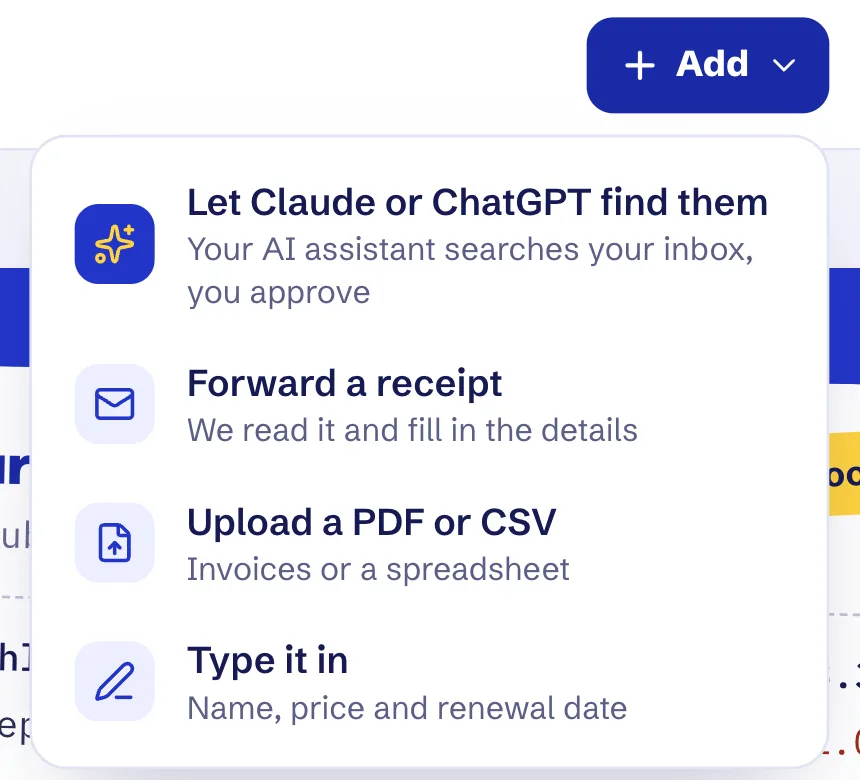
1. In SubDupes, choose Add, then Let Claude or ChatGPT find them.
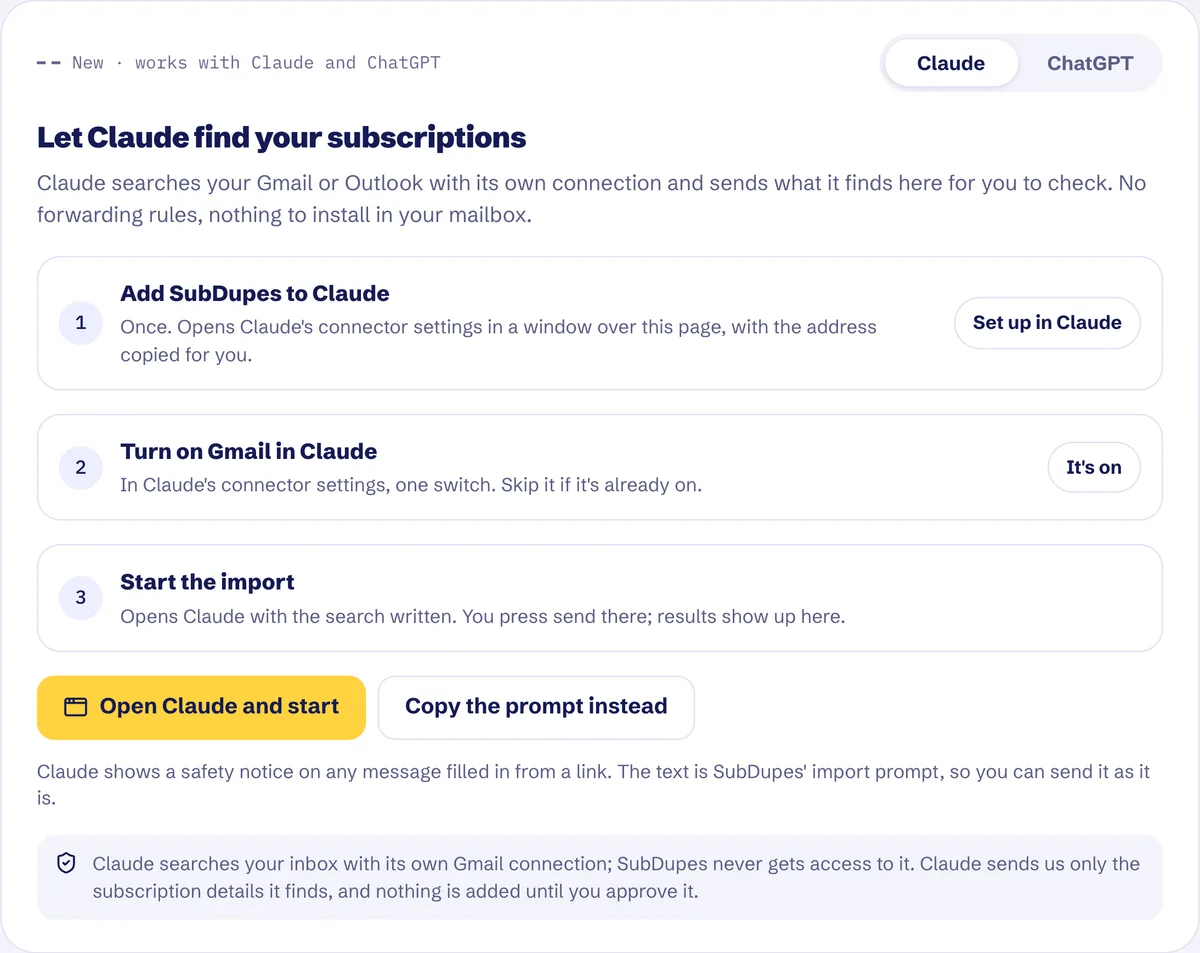
2. Pick your assistant and press Set up. SubDupes copies the connector address and opens your assistant’s connector settings, where you paste it.
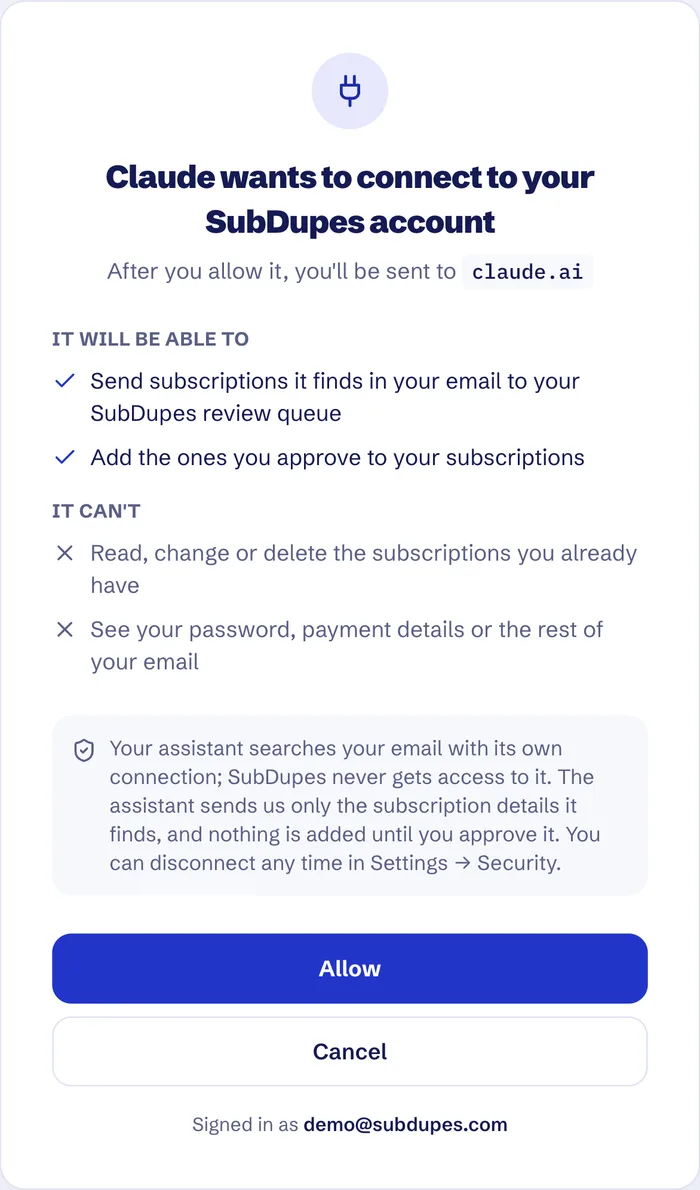
3. When your assistant asks, sign in to SubDupes and press Allow. Then use the start button on the same card to run the search.
Screens from SubDupes with demo data.
Or add it by hand
In Claude
Every Claude plan, including Free (Free allows one custom connector). Add it on the web or in Claude Desktop; it then works in the mobile apps too.
- Open Customize › Connectors, then + Add › Add custom connector.
- Name it SubDupes, paste
https://mcp.subdupes.com/mcpand select Continue. - Keep the sign-in settings Claude detects and select Add.
- Connect, sign in to SubDupes and press Allow.
On Team and Enterprise, an Owner first adds it under Organization settings › Connectors; each member then connects it from Customize › Connectors.
In ChatGPT
ChatGPT Plus and up, on the web. On Business and Enterprise, a workspace admin or owner adds it.
- Open Plugins, select +, then Add custom MCP server.
- Name it SubDupes and paste
https://mcp.subdupes.com/mcpunder Connection. - Read the risk warning, tick the box, and select Create as a plugin.
- Sign in to SubDupes and press Allow.
Menu names as of November 2026, from Claude’s and ChatGPT’s help pages. They can change as the apps update.
Privacy
What does SubDupes see when I use it?
Your assistant
- Searches your email with the connection you gave it, such as Gmail.
- Decides which emails are receipts and pulls out the details.
- Follows its own provider’s privacy terms.
SubDupes
- Never connects to your mailbox.
- Receives only what the assistant sends: the service, price, renewal date and a short excerpt of each receipt.
- Holds them in a review queue. Nothing joins your list until you approve it.
- Deletes items you never review after 14 days.
Full details are in our Privacy Policy.
Try asking
What should I ask my assistant?
- “Find every subscription I pay for and add them to SubDupes.”
- “Look through the last year of receipts for anything that renews.”
- “Check my work email for software subscriptions and send them to SubDupes.”
Then open SubDupes, review what it found, and approve the ones that are right.
Questions
About the connector
Does SubDupes read my inbox?
No. Your assistant reads your email with its own connection. SubDupes only receives the subscriptions it sends, and never connects to your mailbox.
Does the connector cost extra?
No. It's part of SubDupes: a 14-day free trial with no card needed, then $99 once.
Which email accounts does it work with?
Whichever email your assistant can search. We've tested it with Gmail. Claude also offers an Outlook connector through Microsoft 365.
Will it add things I didn't ask for?
No. Everything lands in a review queue first, and only the items you approve are added to your list.
How do I disconnect it?
Remove SubDupes from your assistant's connector settings. Items you haven't reviewed are deleted after 14 days.
Find every subscription in one chat.
Start your free trial, add the connector, and let your assistant do the searching.
https://mcp.subdupes.com/mcp